Getting Started with cURL
What Is cURL and Why Programmers Love It
Start with a simple question
“How does your computer talk to a server?”
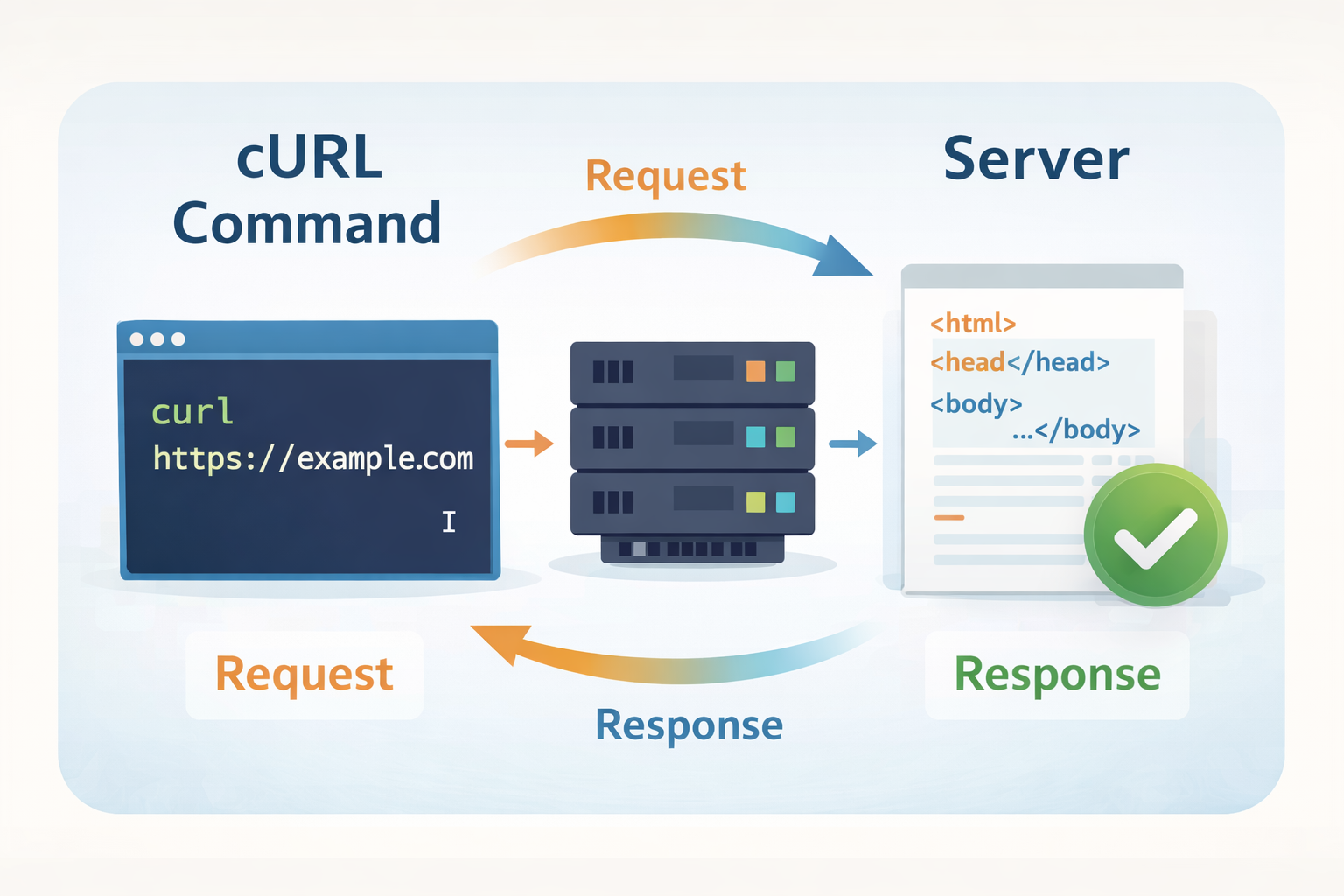
Every time we open a website, log in to an app, or fetch data from API, your computer sends a request to a server, and the server sends a response back.
Browsers do this visually.
cURL lets you do the same thing from the terminal.
What is a Server
A server is just a computer that Listens for requests and Sends data when asked
Example:
You ask: “Give me google.com” ; Server replies: “Here is the page”
This asking and replying happens using HTTP, the language of the web.
What is cURL?
cURL is a command-line tool that lets you send messages to servers.
That’s it. No magic.
Think of cURL as:
“A browser without a screen”
Instead of clicking buttons, you type commands.
Why Programmers Need cURL
Programmers use cURL because it lets them:
Talk directly to servers
Test APIs quickly
Debug backend issues
See raw responses (no UI hiding things)
Automate requests
If you work with:
APIs
Backend systems
Networking
DevOps
cURL becomes a daily tool.
Your First cURL Request
Let’s fetch a webpage.
Open your terminal and type:
curl https://example.com
That’s it.
No flags. No complexity.
What just happened?
You sent a message to a server saying:
“Hey server, give me the content at /”
The server replied with:
- The page data (HTML)
Your terminal printed the response directly.
Understanding Request and Response
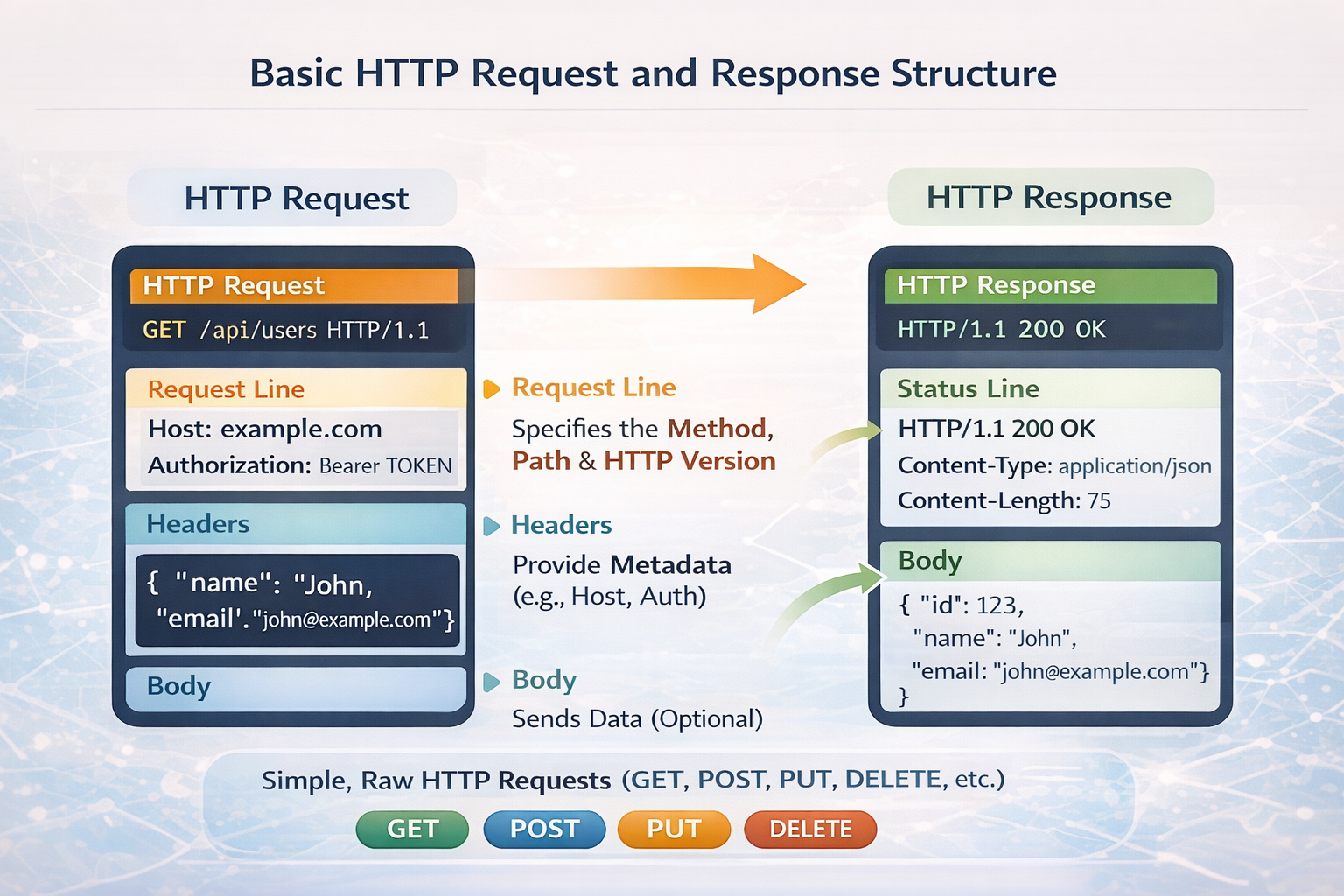
Request
Where you want to go (URL)
What you want to do (GET or POST)
Response
Status (Was it successful?)
Data (HTML, JSON, text, etc.)
Example response idea:
Status: 200 OK → Success
Data: Page content or API data
You don’t see headers yet and that’s okay.
Confidence first, details later.
GET vs POST
GET – Asking for data
curl https://api.example.com/users
You are saying: “Give me data“
POST – Sending data
curl -X POST https://api.example.com/users
You are saying:
“Here is something for you to process”
That’s enough for now.
No flags overload. No JSON walls.
Using cURL to Talk to APIs
APIs are just servers that:
Don’t return web pages
Return data (usually JSON)
Example:
curl https://api.github.com
You’ll see:
Structured data
Clear server responses
This is why developers love cURL — it shows the truth.
Mental Model to Remember
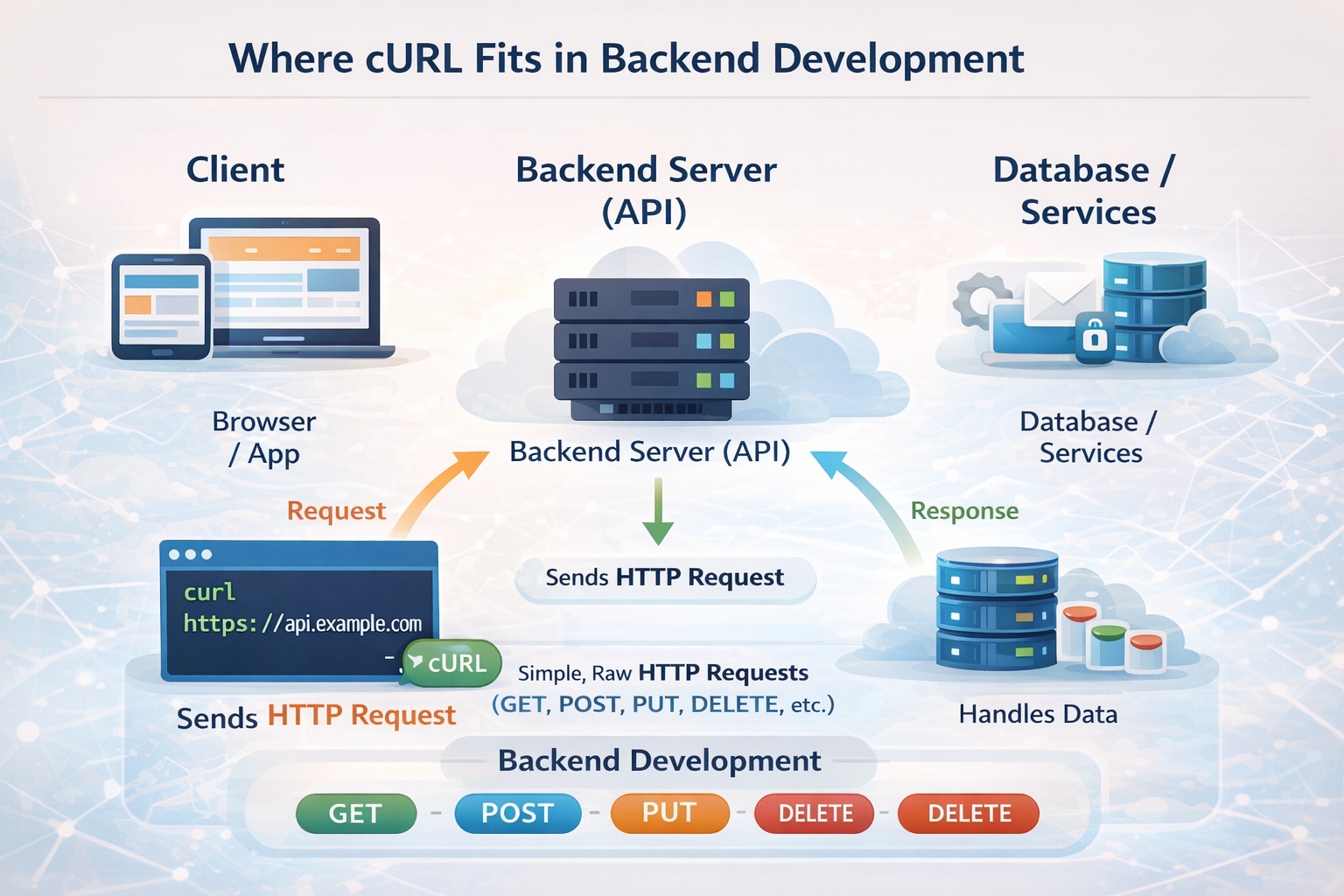
You → cURL → Server → Response → You
cURL is just the messenger.
One-Line Summary
cURL lets you talk to servers directly from the terminal.
If you understand that, you already understand 60% of cURL.


